

Squarebook
Screens and video use invented demo customers and invoices.
Small businesses need to send an invoice, get paid and know who still owes them. Squarebook does those three things with an interface that stays out of the way, and automation that follows the money.
The challenge
Money software should not feel like accounting software.
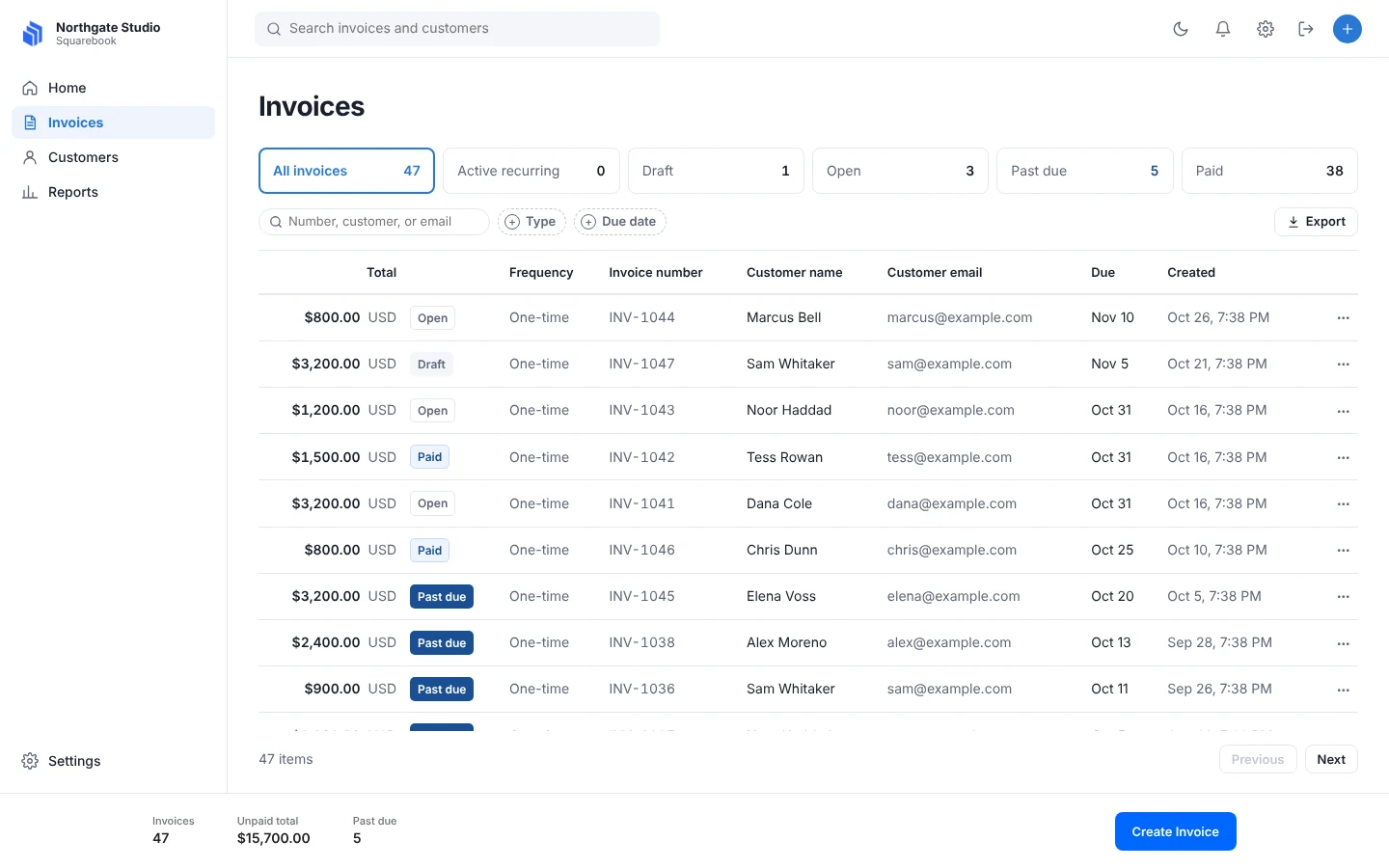
Most invoicing tools grow into dense accounting packages. The owner only wants to know three things: what is open, what is late, and what came in.
Payments touch real money, so the system has to be careful. Every payment must match the right invoice, and a failed card must not go unnoticed.
The interface has to be fast to learn and calm to use, on a laptop or a phone.
The interface
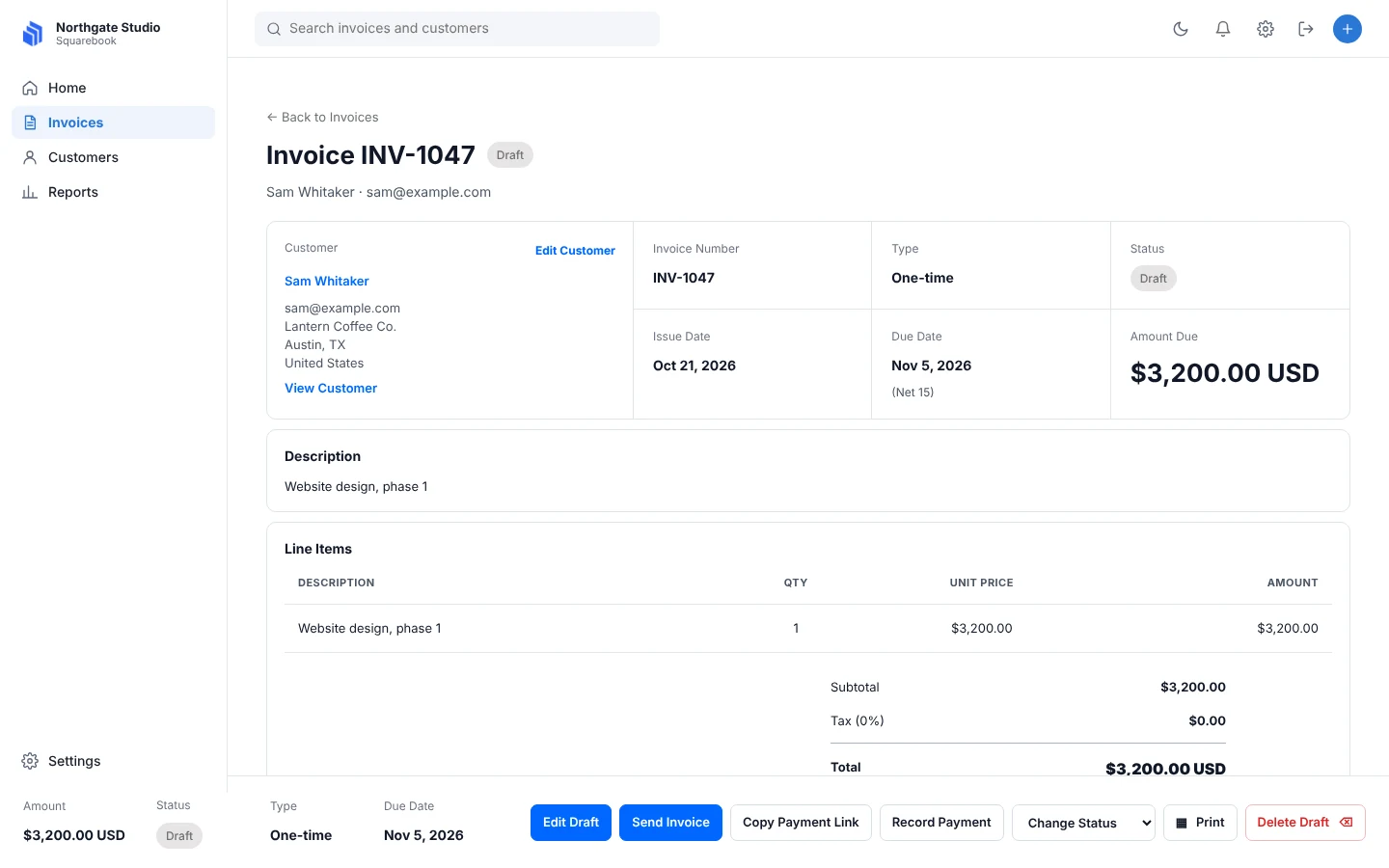
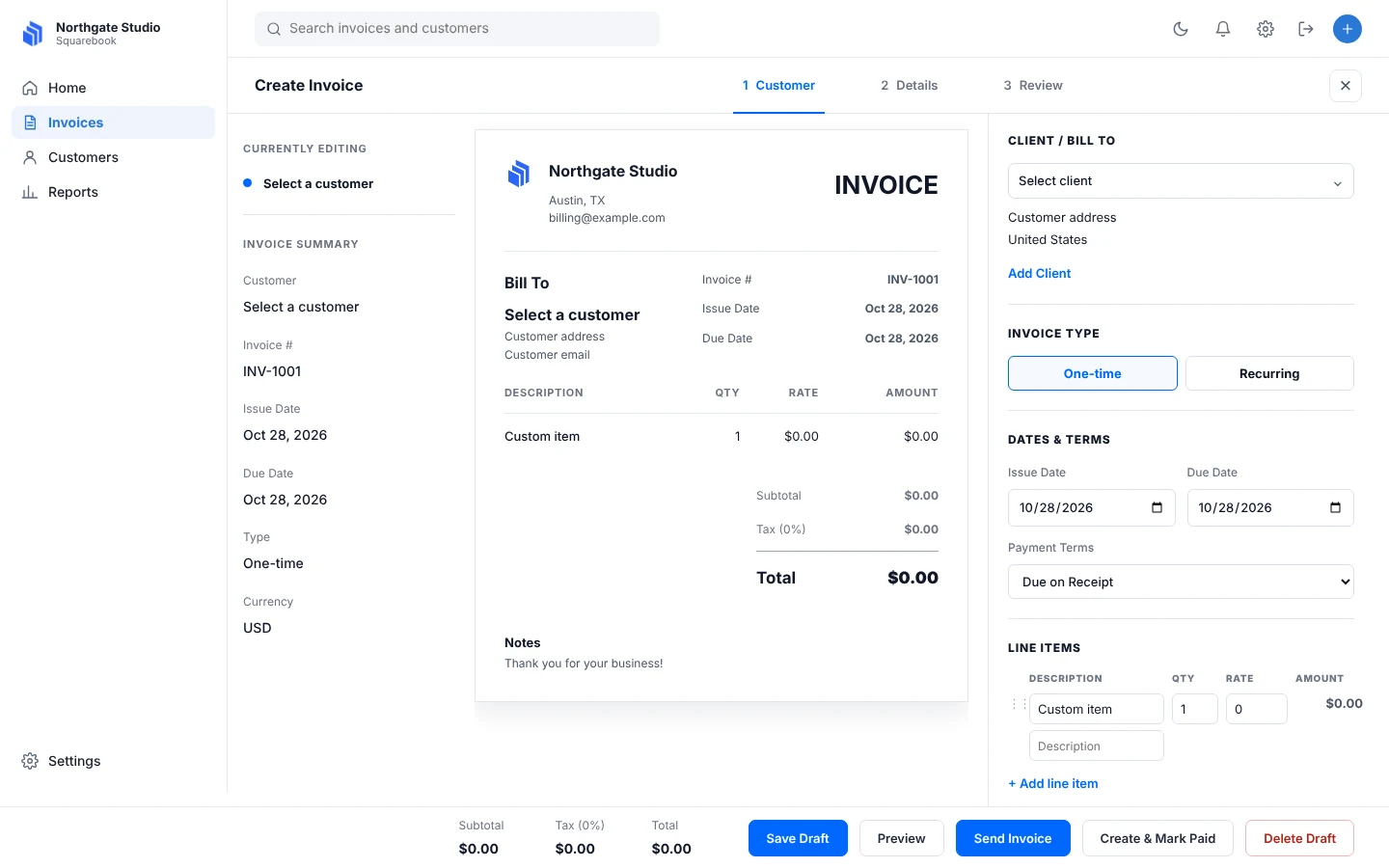
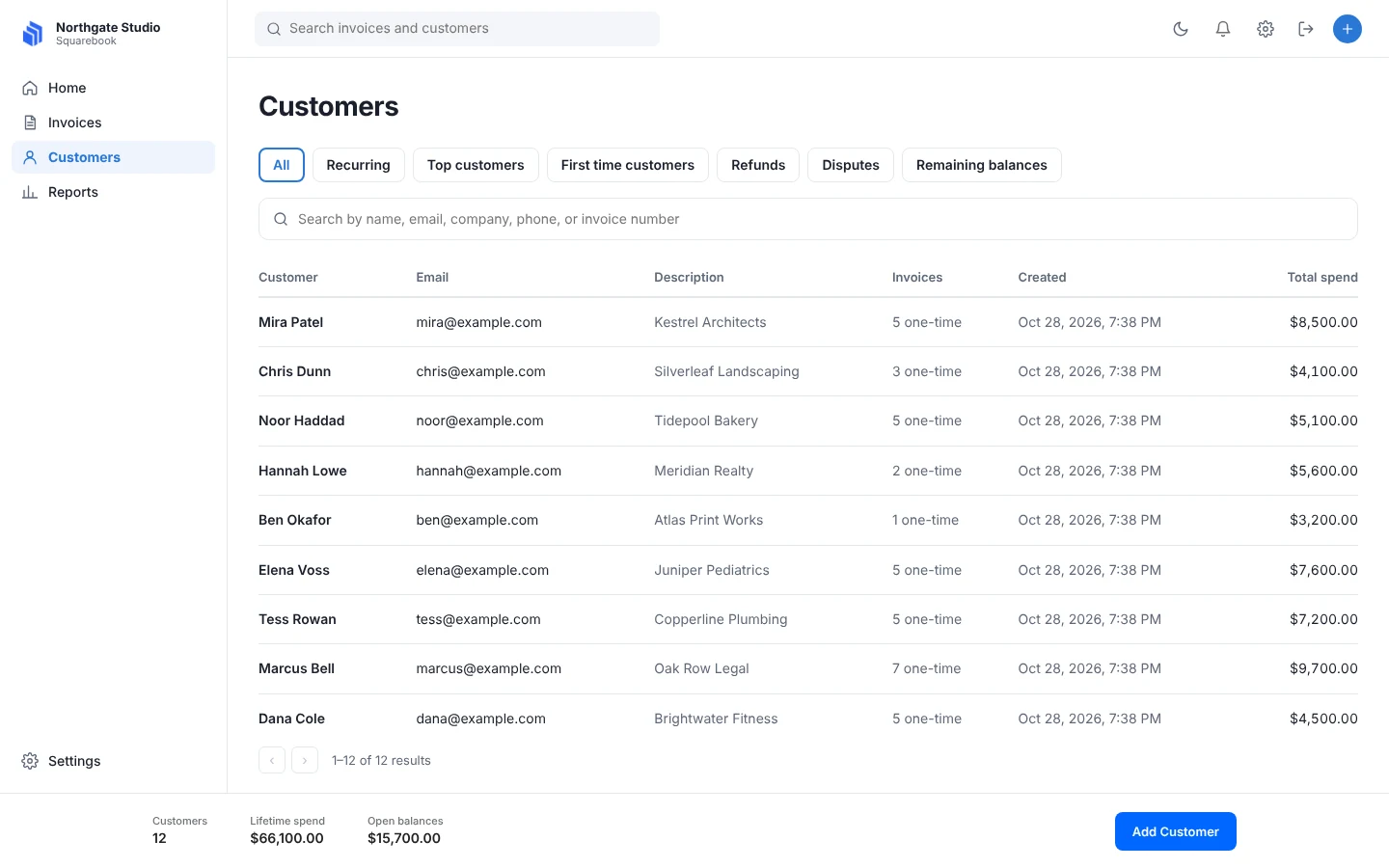
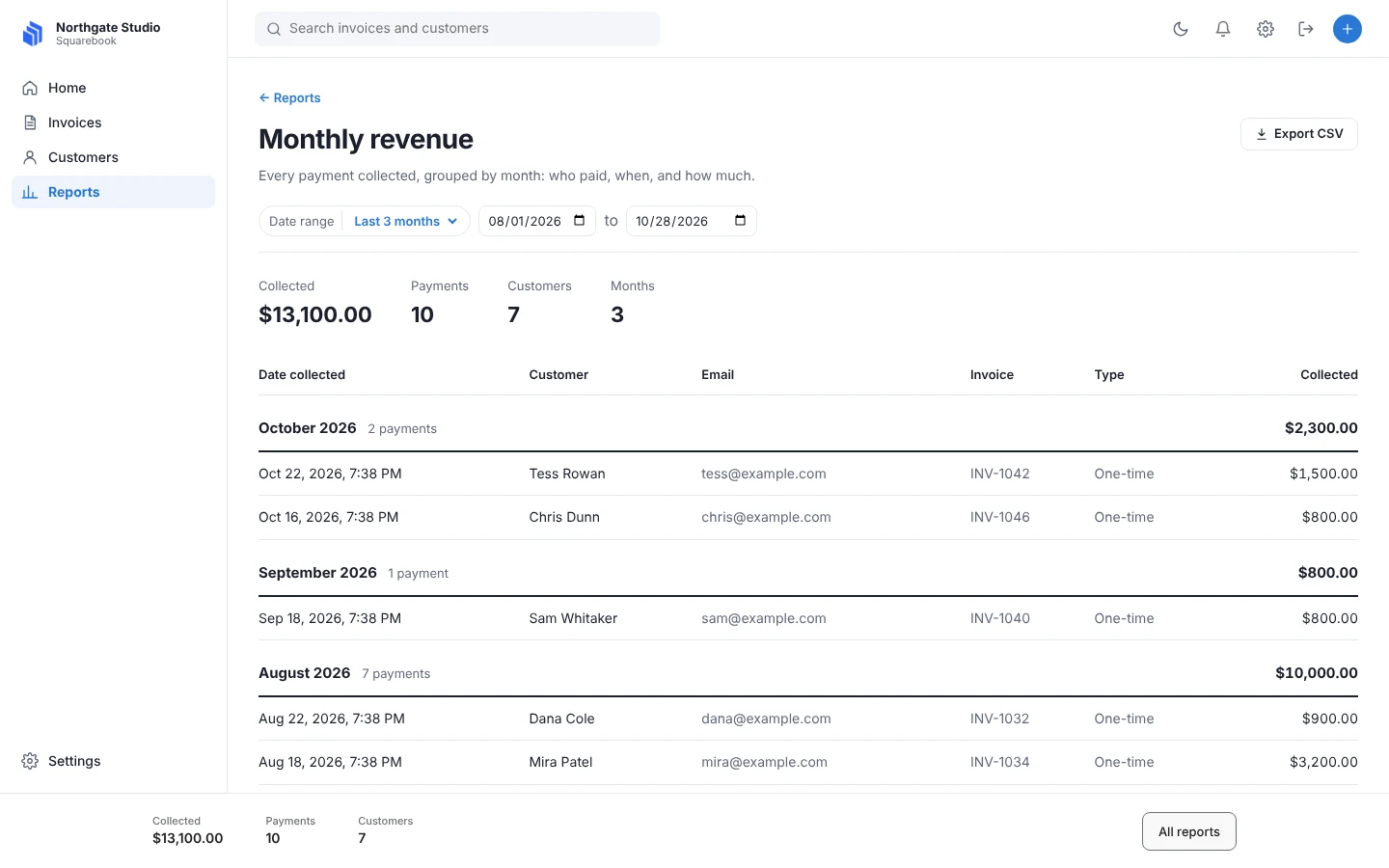
Four sections, one clear next step on each.
The automation
The system follows the money.
01
Payment links
Every invoice can carry a secure payment link, so the customer pays in a couple of taps.
02
Automatic matching
Payment events from the card processor update the invoice and the customer record as they arrive.
03
Recurring invoices
Set a schedule once. Recurring invoices are billed on the chosen day of the month.
04
Partial payments
Deposits and instalments by amount or percentage, with the balance tracked.
05
Failed payments
Failed cards move to a retry or card-update state, and the owner is notified.
06
Activity and notifications
A log of what happened to each invoice, and an in-app bell for what needs attention.
The takeaway
Careful beats clever when money moves.
The best automation in a payments product is the kind nobody notices: the right invoice is marked paid, the right person is told, and nothing is lost. We design for that first, then make it pleasant.
Start a conversation
What would you like to automate?
Tell us about the process that takes too much of your team's time.